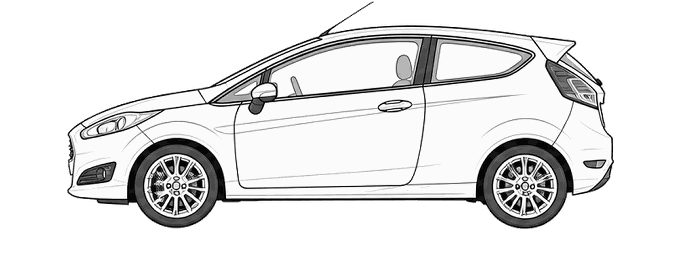
Ford Fiesta 2011 Tyre Pressure Reset (TPMS)
TPMS Reset / Tyre Pressure Monitor
How to reset / calibrate your 2011 Ford Fiesta tyre pressure monitoring system
1. Press MENU
2. Select Tyre monitor
3. Press and hold OK
Illustrations show the centre-console menu system. Controls and wording vary by fitted equipment; tyre-pressure monitoring was not fitted to every earlier Fiesta.
For Fiesta models fitted with the centre-console tyre-monitor menu shown. Earlier cars may use Deflation detection, and some were not equipped with a tyre-pressure monitoring system. If neither menu option is present, these reset steps do not apply to the fitted system.
1. Check all four road tyres when cold and set the pressures on the vehicle's tyre pressure label for the load being carried. Correct any pressure loss or tyre damage before resetting.
2. Park safely, keep the vehicle stationary and switch the ignition on.
3. Press MENU on the centre console. Use the arrow buttons around OK to select Vehicle settings, then Tyre monitor. On earlier equipped versions select Deflation detection instead.
4. Press and hold the centre-console OK button until the screen confirms that the tyre pressure has been reset.
Reset after adjusting tyre pressures or changing a tyre. A reset does not repair a puncture or a sensor fault. If the warning returns, recheck the tyres and have any fault investigated.
Before resetting the tyre pressure monitoring system for the Ford Fiesta
Check the tyres first
A reset does not repair a puncture or restore lost air. Check all tyres and set the correct cold pressures before following the reset instructions. If a tyre repeatedly loses pressure, have the cause investigated rather than repeatedly clearing the warning.
How do I clear the tyre pressure warning on my Ford Fiesta?
For the centre-console system shown above, press MENU and select Vehicle settings > Tyre monitor, then hold the console OK button until the reset is confirmed. Earlier equipped versions may label the option Deflation detection. This initialises the fitted monitor after the cold pressures have been corrected. Some earlier Fiestas have no tyre-monitor menu, so check that the illustrated controls and option match your car.
If the warning returns
Recheck the pressures and inspect for damage. A persistent or flashing warning can indicate a system fault as well as a pressure issue; use the vehicle handbook to identify it. TPMS does not replace routine manual pressure checks.