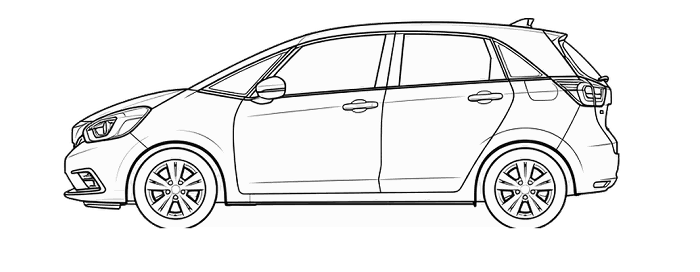
Honda Jazz Tyre Pressure Reset (TPMS)
TPMS Reset / Tyre Pressure Monitor
How to reset / calibrate your Honda Jazz tyre pressure monitoring system

You can calibrate the system from the customized features on the multi-information display.
1. Press the button until (customize settings) appears on the display, then press the SEL/RESET button.
2. Press the button until Deflation Warning System appears on the display, then press the SEL/RESET button.
The display switches to the
customization setup screen, where you can select Cancel or Initialise.
3. Press the button and select
Initialise, then press the SEL/RESET button.
Completed screen appears, then the display returns to the customization menu screen.
4. Press the button until (Exit)
appears on the display, then press the SEL/RESET button.
Deflation Warning System cannot be calibrated if a compact spare tyre is installed.
The calibration process requires approximately 30 minutes of cumulative driving at speeds between 40–100 km/h (25–62 mph). During this period, if the ignition switch is turned on and the vehicle is not moved within 45 seconds, you may notice the low tyre pressure indicator comes on briefly. This is normal and indicates that
the calibration process is not yet complete.
If the snow chains are installed, remove them before calibrating the deflation warning system.
If the low tyre pressure/deflation warning system indicator comes on even when the properly inflated specified regular tyres are installed, have the vehicle
checked by a dealer.
We recommend that the tyres be replaced with the same brand, model, and size as the originals. Ask a dealer for details.
Before resetting the tyre pressure monitoring system for the Honda Jazz
Check the tyres first
A reset does not repair a puncture or restore lost air. Check all tyres and set the correct cold pressures before following the reset instructions. If a tyre repeatedly loses pressure, have the cause investigated rather than repeatedly clearing the warning.
Follow the correct system procedure
Vehicles use different monitoring systems. Some store a reference after adjustment, while others use pressure sensors and may need a relearn procedure. Follow the instructions for this vehicle; a menu sequence from another model may not apply.
If the warning returns
Recheck the pressures and inspect for damage. A persistent or flashing warning can indicate a system fault as well as a pressure issue; use the vehicle handbook to identify it. TPMS does not replace routine manual pressure checks.