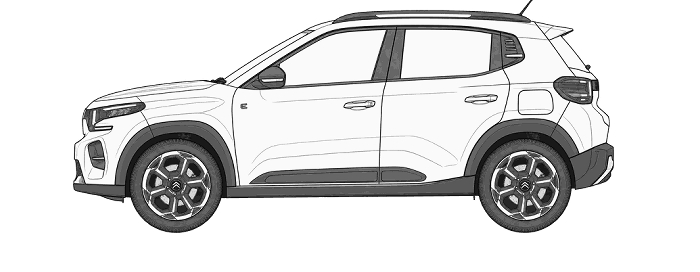
Citroene-C3 Electric2026Tyre Pressures205/50R17
LOADECOFULLY
LADENkPaPSIkPaPSI2503625036————————205/50R17110 Nm
Standard Load Tyre Pressures
Front: 36 PSI (2.5 bar / 250 kPa) - Rear: 36 PSI (2.5 bar / 250 kPa)
Tyre Size Converter - Wheel View
Side view comparison
Tread view comparison
View recommended tyre size conversions
Diameter matches only: confirm approved sizes, wheel width, clearance, load and speed ratings before fitting. Vehicle-specific limits may be stricter.
Results compare nominal sizes. They do not confirm vehicle or wheel fitment.
Wheel Nut Torque Setting
110 Nm
Follow the numbered order with a torque wrench and the vehicle manufacturer’s procedure.
For other bolt counts, follow the vehicle handbook.
TPMS / Tyre Pressure Monitor Reset
Reinitialisation
It is necessary to reinitialise the system every time one or more tyre pressures are adjusted, and after changing one or more wheels.
Before reinitialising the system, ensure that the pressures of the four tyres are correct for the use of the vehicle and in line with the recommendations on the tyre pressure label.
The under-inflation alert can only be relied on if the reinitialisation of the system has been done with the pressures in the four tyres correctly adjusted.
The under-inflation detection system does not give a warning if a pressure is incorrect at the time of reinitialisation.
Reinitialisation of the system must be done with the ignition on and the vehicle stationary:
- In the vehicle configuration menu, for vehicles fitted with a display screen,
- Using the instrument panel display or the button on the dashboard, for vehicles without a display screen.
Touch screen
Reinitialisation of the function is done Instrument panel display in the Driving menu.
► In the Driving menu, select the "Driving functions" tab.
► In the page, select the "Under-inflation initialisation" function.
► Select "Yes" to confirm.
The reinitialisation is confirmed by the display of a message and an audible signal.
Monochrome screen C
Reinitialisation of the function is done in the "Personalisation configuration" menu of the screen.
► Select the "Define the vehicle parameters" menu.
► Select the "Comfort" menu.
► Select the "Tyre inflation" menu.
► Select the "Reinitialisation" function.
► Select "Yes" to confirm.
The reinitialisation is confirmed by an audible signal.
Instrument panel display
► Make a short press on this button to access the menu.
► Select the corresponding item then confirm.
A high tone audible signal confirms the reinitialisation.
A low tone audible signal indicates that there initialisation was not completed.
Dashboard button
► Make a long press on this button.
A high tone audible signal confirms the reinitialisation.
A low tone audible signal indicates that there initialisation was not completed.