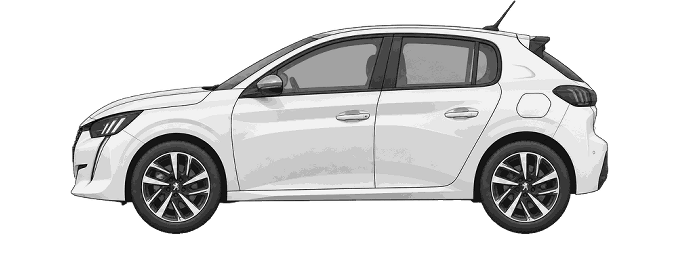
Peugeot 208 2019 Tyre Pressure Reset (TPMS)
TPMS Reset / Tyre Pressure Monitor
How to reset / calibrate your 2019 Peugeot 208 tyre pressure monitoring system
1. Press the dashboard car button
2. Select Under-inflation initialisation
3. Confirm the reset with Yes
Simplified screen illustrations. Highlighting shows what to select; the fitted screen may look different.
1. Check all four tyres and set their cold pressures to the values on the vehicle's tyre pressure label for the load being carried. Correct any pressure problem before resetting.
2. Keep the vehicle stationary while using the touchscreen.
3. Press the car-symbol control below the centre screen to open the Driving / Vehicle menu.
4. Tap the words Under-inflation initialisation, not the separate control on the right.
5. The screen asks you to make sure the pressures of all four tyres have been adjusted and whether to reset. Select Yes to confirm.
Menu wording and layout may differ with the fitted screen.
Reinitialise after adjusting a tyre pressure or changing a wheel. The system stores a new reference, so resetting with incorrect tyre pressures will not correct the problem.
TPMS and valve information
Indirect tyre-pressure monitoring using wheel-speed sensors; reinitialise after changing wheels or adjusting pressures. Confirm valve compatibility with the chosen rim.
Tyre pressure monitor and valve information for the 2019 Peugeot 208. These notes supplement the reset information above.
Before resetting the tyre pressure monitoring system for the Peugeot 208
Check the tyres first
A reset does not repair a puncture or restore lost air. Check all tyres and set the correct cold pressures before following the reset instructions. If a tyre repeatedly loses pressure, have the cause investigated rather than repeatedly clearing the warning.
How do I clear the tyre pressure warning on my Peugeot 208?
After correcting all four cold tyre pressures, reinitialise the monitor using Under-inflation initialisation in the Driving / Vehicle menu. Press the dashboard car-symbol control, tap the option text rather than the separate control on its right, then confirm with Yes. This stores the new pressure reference; it does not inflate the tyres. Use the illustrated procedure above for the fitted touchscreen.
If the warning returns
Recheck the pressures and inspect for damage. A persistent or flashing warning can indicate a system fault as well as a pressure issue; use the vehicle handbook to identify it. TPMS does not replace routine manual pressure checks.