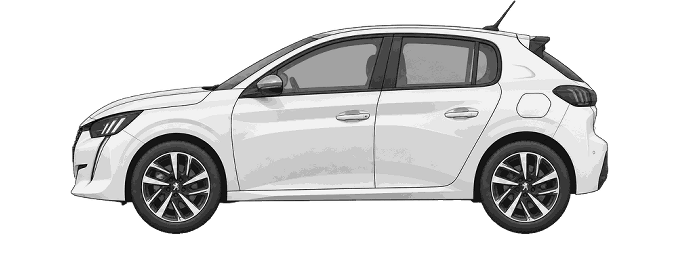
Peugeot2082012–2020Tyre Pressures195/55R16
Recorded fitment model years: 2019 - on
LOADECOFULLY
LADENkPaPSIkPaPSI2403524035————————195/55R16115 Nm
Standard Load Tyre Pressures
Front: 35 PSI (2.4 bar / 240 kPa) - Rear: 35 PSI (2.4 bar / 240 kPa)
Tyre Size Converter - Wheel View
Side view comparison
Tread view comparison
View recommended tyre size conversions
Diameter matches only: confirm approved sizes, wheel width, clearance, load and speed ratings before fitting. Vehicle-specific limits may be stricter.
Results compare nominal sizes. They do not confirm vehicle or wheel fitment.
Wheel alignment specifications
Front Wheel Toe
| Measurement | Set to | Setting tolerance | Check minimum | Check maximum |
|---|---|---|---|---|
| Front axle — total toe(Millimetres) | +1.5 mm | ± 1.0 mm(+0.5 mm to +2.5 mm) | +0.5 mm | +2.5 mm |
| Front axle — total toe(Degrees and minutes) | +0°12′ | ± 0°08′(+0°04′ to +0°20′) | +0°04′ | +0°20′ |
Wheel Nut Torque Setting
115 Nm
Follow the numbered order with a torque wrench and the vehicle manufacturer’s procedure.
For other bolt counts, follow the vehicle handbook.
How to reset / calibrate your 2019 Peugeot 208 tyre pressure monitoring system
1. Press the dashboard car button
2. Select Under-inflation initialisation
3. Confirm the reset with Yes
Simplified screen illustrations. Highlighting shows what to select; the fitted screen may look different.
1. Check all four tyres and set their cold pressures to the values on the vehicle's tyre pressure label for the load being carried. Correct any pressure problem before resetting.
2. Keep the vehicle stationary while using the touchscreen.
3. Press the car-symbol control below the centre screen to open the Driving / Vehicle menu.
4. Tap the words Under-inflation initialisation, not the separate control on the right.
5. The screen asks you to make sure the pressures of all four tyres have been adjusted and whether to reset. Select Yes to confirm.
Menu wording and layout may differ with the fitted screen.
Reinitialise after adjusting a tyre pressure or changing a wheel. The system stores a new reference, so resetting with incorrect tyre pressures will not correct the problem.